Incident documentation is critical β but in practice it often falls short. The consequences show up in investigations, insurance claims, and safety culture.
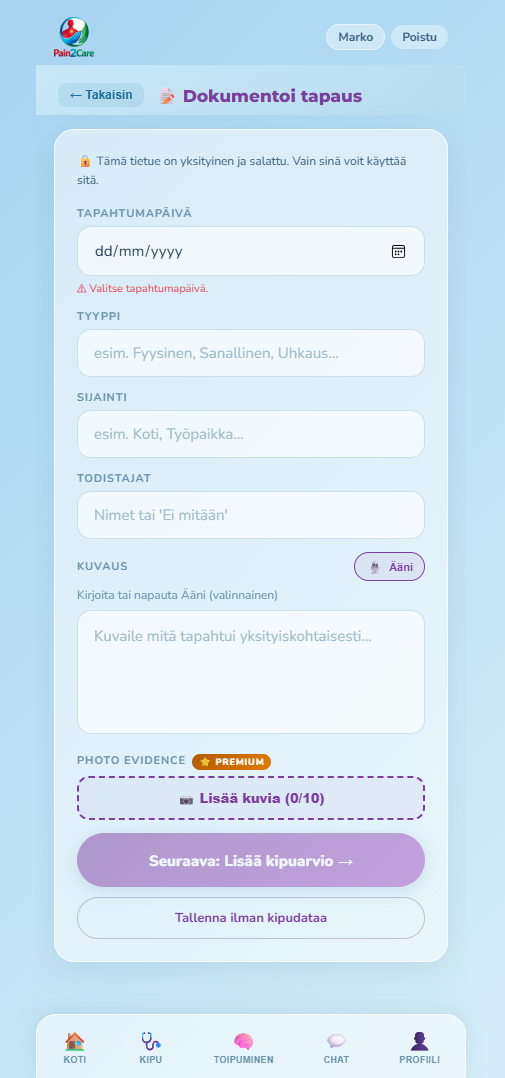
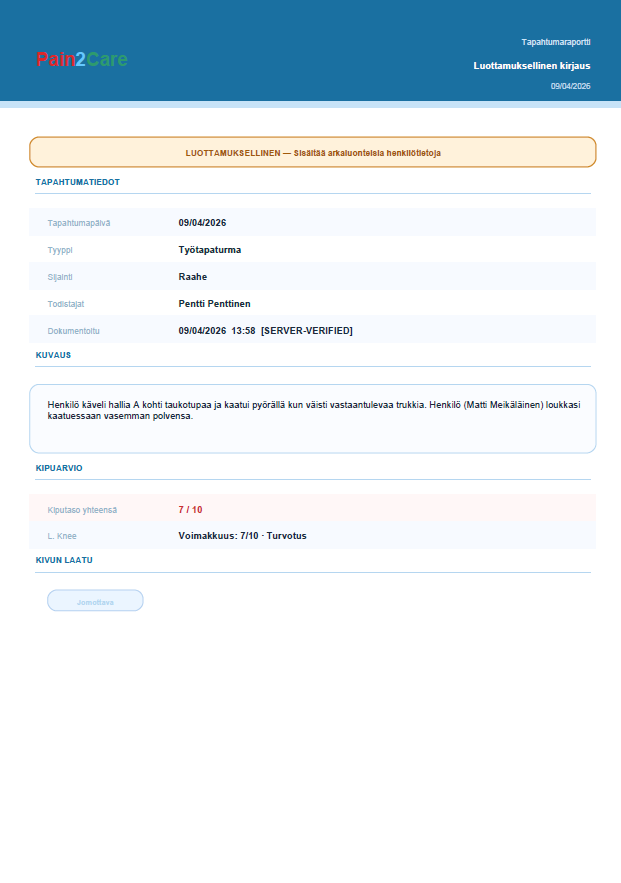
The employee or employer opens the app at the scene and documents everything immediately. Server-verified timestamp, GPS location, photos and pain assessment β before memories fade.
The employee or employer opens the app and records the event in a few minutes. Date, time and location are saved automatically β and cannot be changed later.
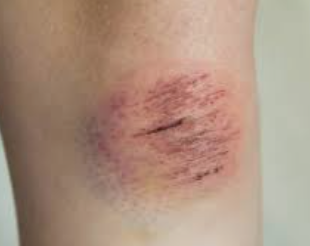
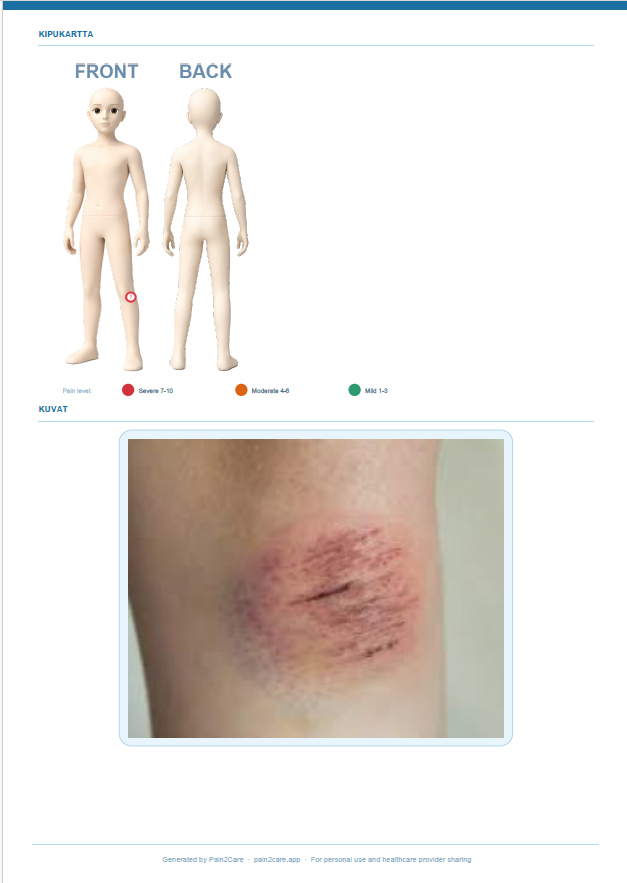
Photos are taken through the app β they are attached automatically to the report with timestamps and location data. Photos cannot be separated from their context or added after the fact.
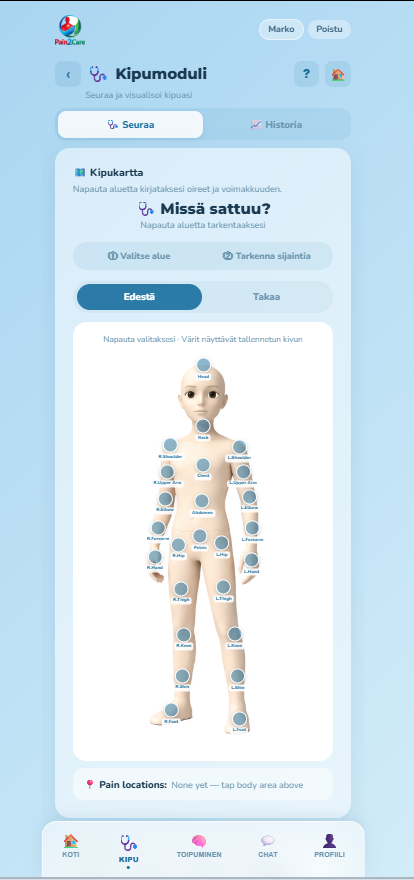
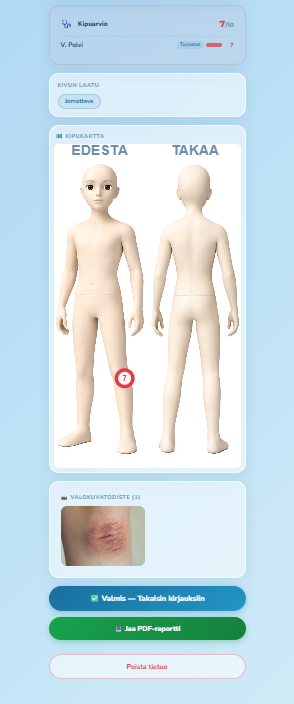
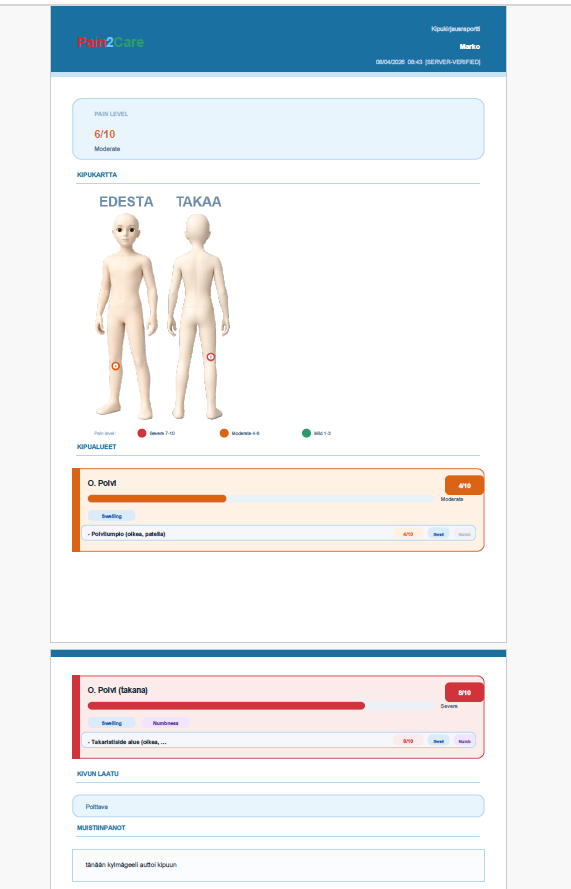
At the time of the incident the employee marks the injured areas on a body map and rates pain intensity from 1 to 10. No verbal descriptions β exact anatomical coordinates go into the report.
Every recorded incident is saved to a list β with date, status and summary. A supervisor, safety manager or HR manager can get the full picture instantly without digging through folders.
A PDF report is generated from the incident log immediately. Ready as-is for an incident investigation, the insurer or occupational health. The report can also be exported to the company's own systems.
After an incident the pain module enables objective tracking of the recovery process.
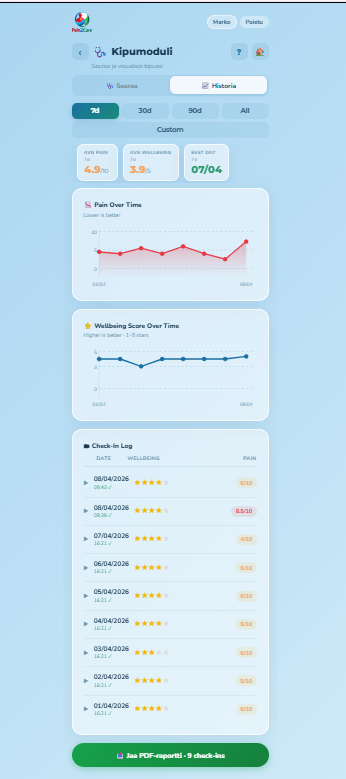
After an incident the employee logs their pain daily on a body map at their own pace. With data stored as objective records, it speaks for itself at doctor's appointments, occupational health visits and insurance matters β no need to try to recall or explain.
The pain history view shows the progress of recovery: 7 days, 30 days, 90 days or the entire post-incident period. The employee can see at a glance how recovery is progressing β and can share the pain report with occupational health, a doctor, physiotherapist or employer.
A PDF is generated from the pain module for a chosen period β for example the entire post-incident timeframe. The report is suitable for occupational health, the insurer or the company's own monitoring.
Pain2Care works as a standalone app β but reports and data can be exported to your company's own HSE, HR or ERP systems when needed.
Sensitive incident and health data requires the highest level of protection.
In addition to incident documentation and pain tracking, Pain2Care also supports employees through recovery and peer support.
12 evidence-based recovery modules: somatic therapy, mindfulness and CBT. Breathing exercises, visual therapy, triggers and coping plan, crisis SOS and daily wellbeing check-in. Particularly supports psychological recovery from serious incidents.
Anonymous peer support community for those recovering from similar situations. Share experiences and find connection β without revealing your identity. Supports long-term recovery alongside professional care.
A straightforward process β up and running within a week.
The same app serves both the employer and the employee β both benefit.
Fill in the form and we will be in touch within 1β2 business days.